Family Characters Seamless Patterns D
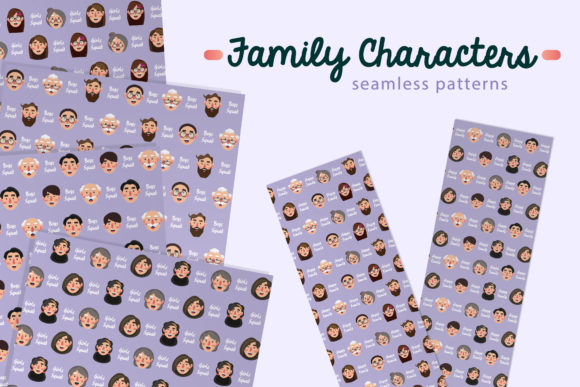
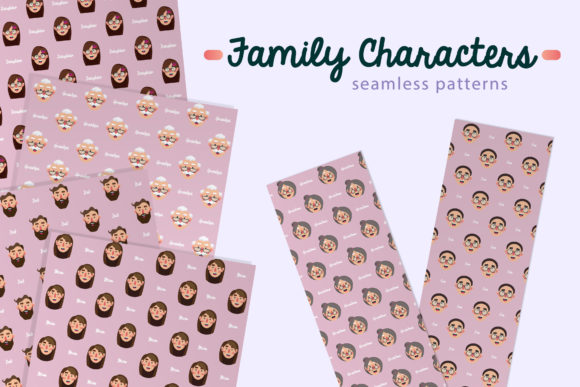
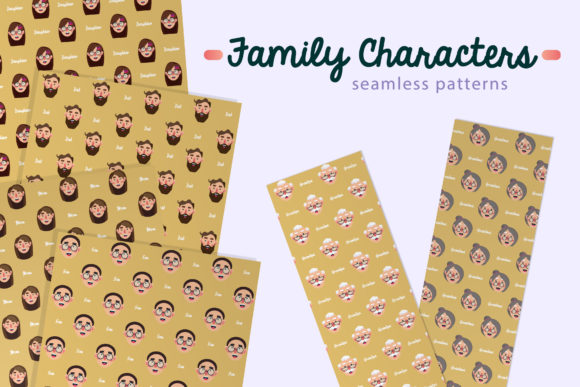
If you're designing invitations, crafting digital stationery, or building branded packaging for a small business—or even putting together a heartfelt scrapbook—you’ve likely searched for patterns that feel warm, inclusive, and authentically human. Family Characters Seamless Patterns D delivers exactly that: six thoughtfully illustrated, repeatable designs featuring diverse family groupings—each drawn with care, consistency, and cultural awareness. These aren’t generic clipart repeats; they’re cohesive, scalable assets built for real-world creative work.
Why creators choose this set—and why it stands out
Unlike many pattern packs that rely on flat icons or overly stylized silhouettes, Family Characters Seamless Patterns D balances approachability with professionalism. Each pattern repeats cleanly at 10×10 inches and renders crisply at 300 dpi—ideal for both screen use and high-resolution print. You get two versions of each design: JPEGs with soft, coordinated colored backgrounds (great for quick social posts or printable cards), and PNGs with transparent backgrounds (essential for layering over photos, custom colors, or brand-aligned layouts).
What makes this especially useful for beginners and time-pressed professionals alike is how editable the files are. While the patterns themselves aren’t vector-based, their clean lines and consistent color palettes mean you can easily adjust background tones in Photoshop, Canva, or Affinity Designer—no advanced masking needed. That flexibility saves hours when matching a client’s brand palette or adapting to seasonal themes.
A common mistake: Assuming “seamless” means “plug-and-play in every tool”
Here’s where many designers stumble—not because the files are flawed, but because they overlook how software interprets resolution and tiling. For example, some users drop the 300 dpi JPEG directly into Canva’s background uploader and wonder why the pattern looks pixelated on an A4 invitation PDF. The issue isn’t quality—it’s scaling. Canva resizes uploads based on canvas dimensions, not native DPI. So while the file is technically print-ready, using it *as-is* in low-DPI web tools without first resizing to match your project’s pixel width often leads to soft edges or unintended cropping.
Better approach: Before importing into Canva, Figma, or PowerPoint, open the JPEG in a basic editor (even Preview or Paint) and resize it to match your project’s *pixel width*. For a standard Canva A4 template (2480×3508 px), scale the 10×10 inch file to ~2480 px wide—keeping proportions locked. That preserves sharpness and ensures seamless tiling across the full area.
Another overlooked detail: Transparency doesn’t equal automatic compatibility
The PNG files offer transparency—but not all platforms render alpha channels the same way. In some email builders or older CMS editors, transparent PNGs may appear with faint gray halos or inconsistent blending, especially over light-colored backgrounds. This isn’t a flaw in Family Characters Seamless Patterns D; it’s a quirk of how certain rendering engines handle anti-aliased edges.
Practical fix: If you’re using these in email templates or Shopify product pages, test the PNG over your intended background *before* finalizing. When in doubt, place the transparent pattern over a solid-color layer in your editor first—then export as a single flattened PNG. It adds one extra step, but guarantees visual consistency across devices and clients.
Don’t skip checking color mode—especially for print
All files ship in RGB, which works perfectly for digital use. But if you plan to send files to a commercial printer for packaging or tags, RGB-to-CMYK conversion can shift skin tones and background hues unexpectedly—particularly in softer pastel variations included in this set. One user reported subtle greenish casts in printed thank-you cards because the printer converted without soft-proofing.
What to do instead: Open the JPEG in Photoshop, go to Edit > Convert to Profile, and select your printer’s recommended CMYK profile (e.g., “U.S. Web Coated (SWOP) v2”). Then manually tweak any muted tones using Hue/Saturation—especially in character outlines and shared accessories like strollers or backpacks. Save that version separately as a print-safe variant.
File size confusion: Bigger isn’t always better
At first glance, 10×10 inches at 300 dpi sounds massive—and it is. Each JPEG averages 25–35 MB. That’s intentional: it ensures fidelity when zoomed or cropped. But it also means dragging these directly into lightweight tools (like Google Slides or Notion) can slow performance or trigger upload limits.
Rather than downsampling blindly, try this: Use the Export As function in Photoshop or Affinity Photo to generate a second set at 150 dpi—still sharp for screens, but under 8 MB. Label them clearly (e.g., “_web_optimized”) so you don’t accidentally print from the lower-res version.
What to verify before purchasing or downloading
- Licensing scope: These patterns are licensed for both personal and commercial use—including physical products like mugs or tote bags—but exclude resale of the patterns *as-is* (e.g., uploading to Creative Market as your own). Always review the license summary included in your download folder.
- Character diversity alignment: The Family Characters Collection intentionally includes varied ethnicities, abilities, family structures (two moms, multigenerational homes, single-parent scenes), and age ranges. If your project serves a specific community, scan the thumbnails first to confirm representation matches your audience’s lived experience—not just aesthetic preferences.
- Editing readiness: While background colors are easy to change, the characters themselves aren’t layered by element (e.g., no separate “arms” or “strollers” files). So if you need to isolate individual figures, plan ahead with selection tools—or consider pairing this set with simple vector add-ons for maximum flexibility.
Whether you’re a wedding planner assembling elegant invites, a teacher creating inclusive classroom materials, or a solopreneur launching eco-friendly baby product packaging, Family Characters Seamless Patterns D offers more than decoration—it supports storytelling with intention. What sets it apart isn’t just technical quality, but how thoughtfully the characters reflect real life: quiet moments, shared glances, intergenerational connection—all rendered in repeatable, respectful, usable form. Take the time to test, resize, and align with your workflow—and you’ll find these patterns don’t just fill space. They hold meaning.