Mandala Patterns Flower: A Practical Design Asset for Creative Workflows
When you're building visual assets—whether for branding, print-on-demand, digital presentations, or classroom materials—the right foundational element can save hours of design time while raising the quality bar. Mandala Patterns Flower is one such asset: a carefully composed, scalable floral mandala design delivered as six production-ready digital files. It’s not just decoration—it’s a workflow enabler, built to slot into real-world creative and business processes without friction.
What Is Mandala Patterns Flower—and Where Does It Fit?
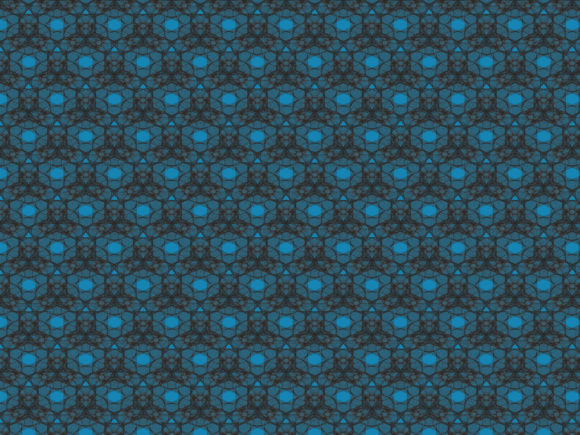
Mandala Patterns Flower is a symmetrical, nature-inspired mandala centered on floral motifs—petals, leaves, and radial geometry rendered with precision and balance. Unlike generic clipart or low-resolution stock graphics, this design was created for adaptability: vector-based, cleanly layered, and optimized for both screen and print output. Its 1920px × 1280px canvas size strikes a practical middle ground—large enough for high-fidelity detail, yet manageable for editing in most design tools.
This isn’t a standalone “inspiration piece.” It’s an operational asset. Think of it like a well-organized spreadsheet template or a reusable UI component: its value emerges when integrated into repeatable tasks—branding kits, lesson plans, packaging mockups, social media templates, or craft project guides. It fits before a project (as a starting point), during (as a customizable layer), and after (as a consistent visual signature).
How It Works Across Real Workflows
Designers, educators, and small business owners often juggle multiple platforms and output requirements. A single JPG won’t cut it when you need to scale for a banner, cut vinyl, or export for web use. That’s where the six-file bundle shines:
- AI and EPS files preserve full vector fidelity and layer structure—ideal for editing in Adobe Illustrator or CorelDRAW. Use these when you need to recolor elements, isolate petals for animation, or adjust spacing for a specific layout.
- SVG supports responsive web use—embed directly into HTML, style with CSS, or animate with JavaScript. Perfect for interactive learning modules or branded landing pages that need lightweight, crisp visuals.
- DXF bridges digital design and physical fabrication. Import into Cricut Design Space, Silhouette Studio, or laser-cutting software to produce stencils, wall decals, or fabric appliqués—no tracing or redrawing required.
- JPG and PNG serve immediate, no-edit needs: slide decks, email headers, blog post illustrations, or quick social posts. The PNG includes transparency, so it overlays cleanly on any background without extra masking.
This format diversity means you’re not choosing between “design flexibility” and “deployment speed.” You get both—structured in one package, ready for your next task.
Integration Without Overhead
Adopting new assets often introduces friction: compatibility checks, file conversion, layer cleanup, or inconsistent sizing. Mandala Patterns Flower minimizes those steps by design. All files align to the same 1920×1280px canvas and maintain identical proportions and centering. There’s no guesswork about scaling or cropping—what you see in the preview is what you get across formats.
For teams or solo creators using shared libraries (like Figma design systems or Adobe CC Libraries), drop the SVG or AI file into your asset repository. Tag it with keywords like “mandala,” “floral,” “symmetry,” or “educational graphic”—then pull it into layouts in seconds. No renaming, no reformatting, no version confusion.
If you’re using Canva, Affinity Designer, or Inkscape, the SVG and PNG files import cleanly. For laser cutting or embroidery prep, the DXF and EPS files retain clean paths—no broken curves or stray anchor points. That consistency saves troubleshooting time and reduces output errors, especially when preparing assets for vendors or print partners.
Practical Implementation Tips
You don’t need to be a designer to use Mandala Patterns Flower effectively. Here’s how it works in practice:
Before a Project: Planning & Positioning
Sketch out your layout first—where will emphasis fall? If you’re designing a wellness workbook, place the mandala as a section divider to signal reflection or transition. For a boutique product label, use it as a subtle watermark behind text—not as the hero, but as a quiet reinforcement of brand values (balance, growth, natural harmony). Having the vector files upfront lets you test placements and proportions early, avoiding last-minute resizing surprises.
During a Project: Customization & Consistency
Need to match brand colors? Open the AI file, select groups by layer (e.g., “petals,” “center,” “outer ring”), and apply your palette in seconds. Want to simplify for younger learners? Hide or delete outer layers in the SVG editor—keeping only the core flower shape. Because all files share the same structure, changes made in one format translate predictably to others.
After a Project: Repurposing & Long-Term Use
Once used in one context—a workshop handout, for example—archive the edited version alongside the original files. Label it clearly (“Mandala_Patterns_Flower_Workshop_Blue”). Over time, you’ll build a personal library of variations: color-swapped, cropped, animated, or combined with typography. That reuse compounds value—each new project starts from a known, trusted base rather than from scratch.
Quality Control and Sustainable Use
Because the design is vector-based and delivered at a balanced resolution, it holds up across use cases without degradation. There’s no pixelation when enlarged for trade show banners, no jagged edges when scaled down for app icons. That reliability supports long-term brand consistency—especially important if you’re developing a series of related products, courses, or publications.
Also consider organization: store the six files in a dedicated folder named with date and purpose (e.g., “Mandala_Patterns_Flower_2024_BrandKit”). Include a simple README.txt noting key features—“Center group editable,” “DXF paths optimized for 0.5mm kerf,” or “PNG transparent background verified.” This small step pays off when revisiting the asset months later—or handing it off to a collaborator.
Who Benefits Most—and Why
Freelancers pitching to wellness or education clients find Mandala Patterns Flower speeds up proposal mockups and sample layouts. Educators embed it into Google Slides or Canva templates for mindfulness activities—no copyright concerns, no download delays. Small business owners use the DXF to create branded iron-on transfers for tote bags or the SVG to animate a gentle bloom effect on their homepage.
Even non-designers benefit. Bloggers insert the PNG into newsletters as decorative dividers. Marketers use the SVG in email campaigns to reinforce seasonal themes (spring launches, gratitude challenges). The common thread isn’t artistic skill—it’s intentionality. You’re selecting a visual that supports clarity, calm, or cohesion—not just filling space.
In short, Mandala Patterns Flower works because it respects your time, your tools, and your goals. It doesn’t ask you to change your process—it fits inside it, quietly raising the standard of what you deliver.