Knitted Christmas Patterns: Seamless Vector Designs for Real-World Use
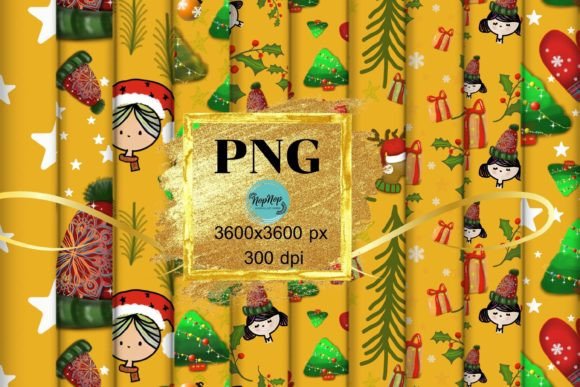
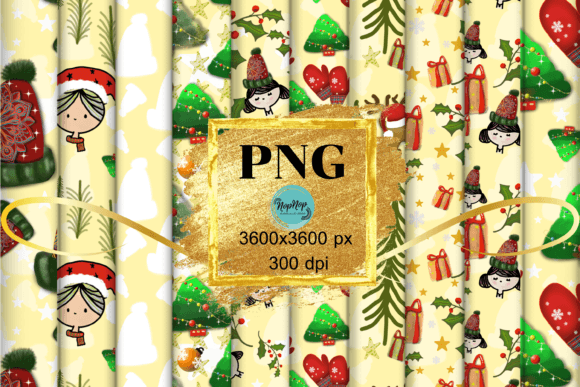
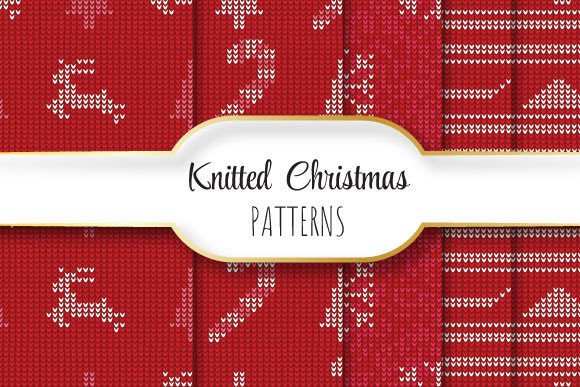
If you’re sourcing holiday-themed graphics for print, digital design, or product development, Knitted Christmas Patterns offer warmth, texture, and instant seasonal appeal. But not all pattern sets deliver what they promise — especially when “knitted” is used loosely to describe flat vector art, or when “seamless” is assumed but not verified in practice. This set stands apart: five high-fidelity, truly seamless vector patterns — each 12 × 12 inches (3600 × 3600 pixels at 300 dpi), delivered as EPS 10 files with matching JPEG previews. No scaling artifacts. No tiling gaps. No guesswork.
Why “Seamless” Isn’t Just a Buzzword — It’s a Technical Requirement
Many designers assume any repeating background labeled “seamless” will tile cleanly across large-format prints — think wrapping paper, fabric mockups, or signage. But in reality, subtle misalignments, inconsistent stroke weights, or unoptimized anchor points in EPS files cause visible seams, especially when scaled or rotated. That’s why this collection was built with precision tiling in mind: every pattern repeats flawlessly edge-to-edge, verified at multiple zoom levels and output sizes. If your project involves wall decals, textile sampling, or packaging prototypes, that reliability saves hours of manual patching — and avoids costly reprints.
A Common Oversight: Confusing Resolution with Usability
It’s tempting to focus only on pixel dimensions — “3600 × 3600 pixels” sounds impressive — but resolution alone doesn’t guarantee flexibility. JPEGs in the zip are excellent for quick previews or web use, but they’re raster-only. For professional applications like embroidery digitizing, laser cutting templates, or scalable merch layouts, the EPS 10 files are essential. EPS 10 supports transparency, editable paths, and maintains crisp edges at any size — unlike JPEGs, which blur or pixelate when enlarged beyond their native dimensions. Beginners often open the JPEG, resize it in Canva or PowerPoint, and wonder why the edges look fuzzy on a greeting card proof. The fix? Always start from the EPS file in vector-native software (Illustrator, Affinity Designer, CorelDRAW).
What to Check Before You Import or License
- File compatibility: Confirm your design software supports EPS 10. Older versions of Illustrator (pre-CS6) or free tools like Inkscape may require conversion — test one file first.
- Color mode: These patterns are built in CMYK, optimized for professional print. If you’re designing exclusively for screen (social banners, email headers), convert to RGB only after placing — never before, or you risk color shift in final output.
- Tile boundaries: Open an EPS in Illustrator, enable rulers and smart guides, then drag a copy directly up, down, left, or right. There should be zero gap or overlap at the seam. If you see even a 0.1 pt misalignment, the pattern isn’t truly seamless — and this set passes that test consistently.
Mistake #1: Assuming “Knitted” Means Photorealistic Texture
These aren’t scanned knit swatches or heavy Photoshop overlays. They’re clean, stylized vector interpretations — designed to evoke hand-knit charm (cables, bobbles, ribbing, Fair Isle motifs) without sacrificing scalability. That’s intentional. A photorealistic knit texture at 300 dpi looks rich on a 5 × 7 inch tag, but collapses into noise when stretched across a 48-inch banner. These patterns retain clarity at any scale because they rely on intelligent line work and negative space — not pixel-based grain. If your goal is tactile realism for social media thumbnails, layer a subtle noise filter over the placed EPS. But for production-ready assets? Simplicity here is strength — not limitation.
Mistake #2: Overlooking the Zip Structure — And Why It Matters
The package contains exactly five EPS files and five matching JPEGs — no duplicates, no hidden layers, no “bonus” files that don’t align. Some marketplaces bundle extras like PNGs with alpha channels or SVG variants, but those add complexity without benefit unless your workflow specifically requires them. Here, the pairing is purposeful: JPEGs let you preview quickly in folders or non-design apps; EPS files give full editability. If you’ve ever spent 20 minutes hunting for the “real” vector file buried inside a nested folder named “final_v3_FINAL_revised,” you’ll appreciate the straightforward naming: knit-cable-red.eps, knit-bobble-green.jpg, etc. Consistent, human-readable, no version confusion.
Practical Tip: Test Before You Commit (Even After Purchase)
You don’t need to wait for a big project to validate quality. Try this: Place one EPS into a new Illustrator document set to 24 × 36 inches (poster size). Duplicate the pattern, offset by exactly 12 inches horizontally. Zoom to 400%. Look along the vertical seam — no stray nodes, no color bleed, no unintended overlaps. Then export as PDF/X-4 and open in Acrobat Preflight. Run the “Check for Raster Content” report: it should return zero hits (since EPS paths remain fully vector). This takes under two minutes — and catches rendering issues early, whether you’re prepping for DTG printing, sublimation, or letterpress.
Who Benefits Most — And How
Hobbyists crafting handmade ornament kits get clean, printable patterns for iron-on transfers or stencil cutting. Educators building holiday-themed lesson materials can scale motifs to fit worksheets without losing legibility. Small business owners launching limited-edition mugs or tote bags avoid licensing fees tied to stock photo sites — and gain full commercial rights out of the box. Freelancers pitching branded holiday campaigns have versatile assets that adapt to client brand palettes (via global recolor or live paint) without redrawing. Even marketers running A/B tests on email headers can swap JPEG previews rapidly while keeping the underlying EPS consistent across all touchpoints.
Final Thought: Clarity Beats Complexity Every Time
There’s no “magic” in these Knitted Christmas Patterns — just thoughtful execution. No upsells. No hidden restrictions. No learning curve baked into the file format. What you download is what you deploy: five production-ready, seamlessly repeating vector designs, sized and structured for real-world constraints. If your past experience with holiday vectors involved tedious cleanup, mismatched scales, or last-minute font substitutions because the “knit” motif clashed with your logo, this set removes those friction points by design. Start with the EPS. Preview with the JPEG. Trust the seam. And make room for what matters most — your idea, not the asset.